# on Ubuntu or Debian sudo apt update && sudo apt install ffmpeg
# on Arch Linux sudo pacman -S ffmpeg
# on MacOS using Homebrew (https://brew.sh/) brew install ffmpeg
# on Windows using Chocolatey (https://chocolatey.org/) choco install ffmpeg
# on Windows using Scoop (https://scoop.sh/) scoop install ffmpeg
测试模型
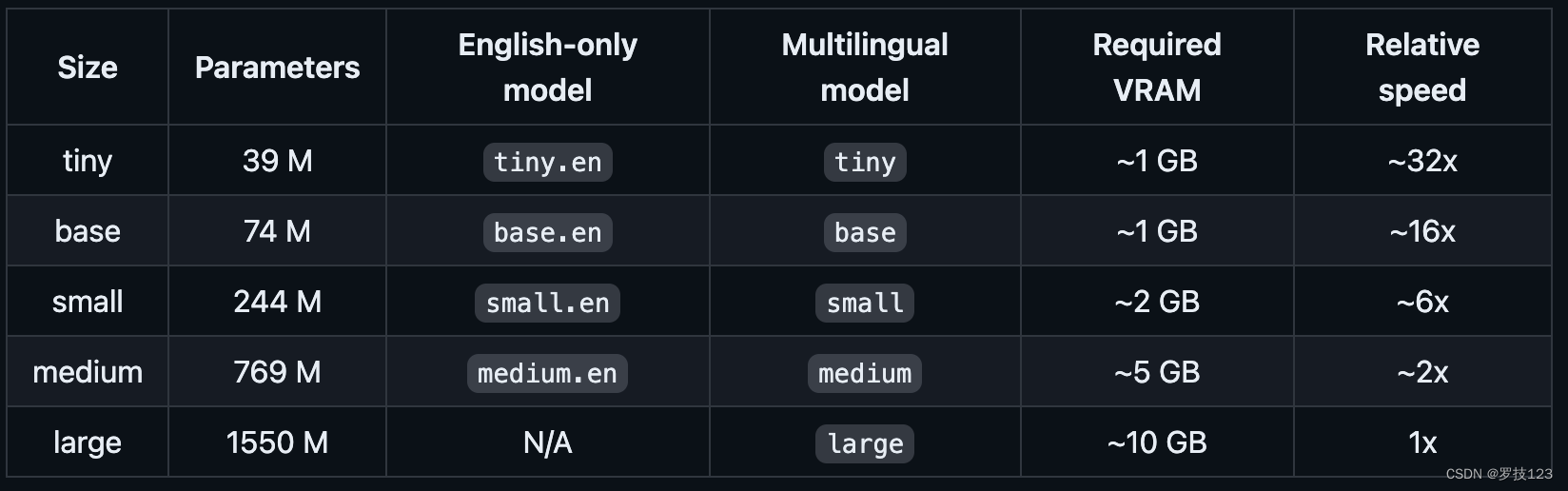
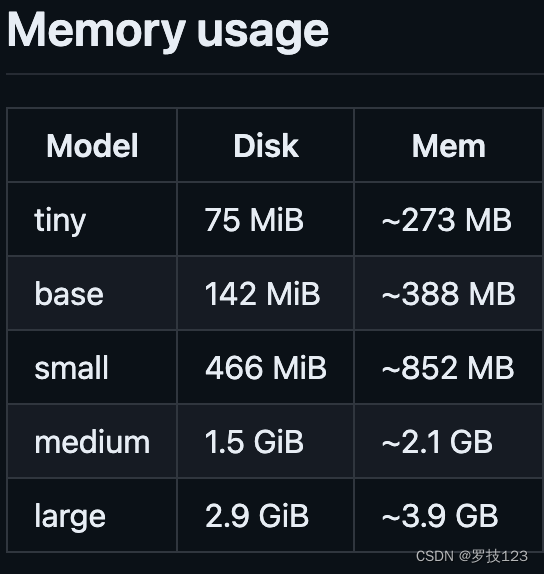
默认模型是base,模型和需要的显存大小是
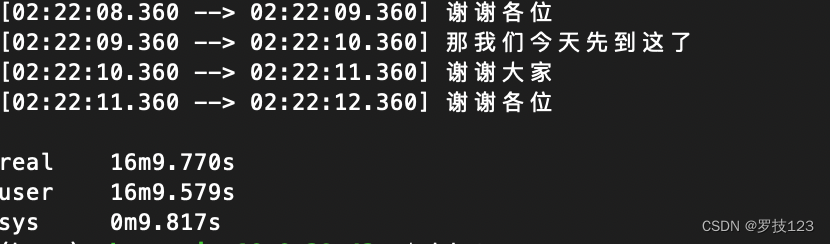
(base) ubuntu@ip-10-0-29-42:~$ time whisper 1.mp4 wDetecting language using up to the first 30 seconds. Use --language to specify the language Detected language: Chinese 使用 –model 指定模型,这里使用最大的模型
1
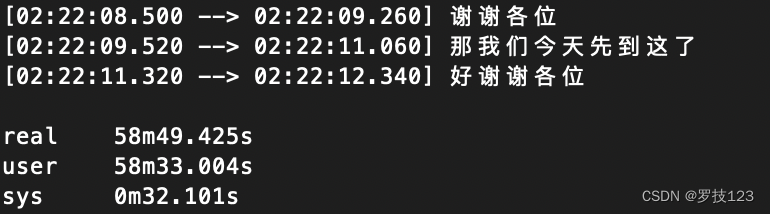
(base) ubuntu@ip-10-0-29-42:~$ time whisper 1.mp4 --model large
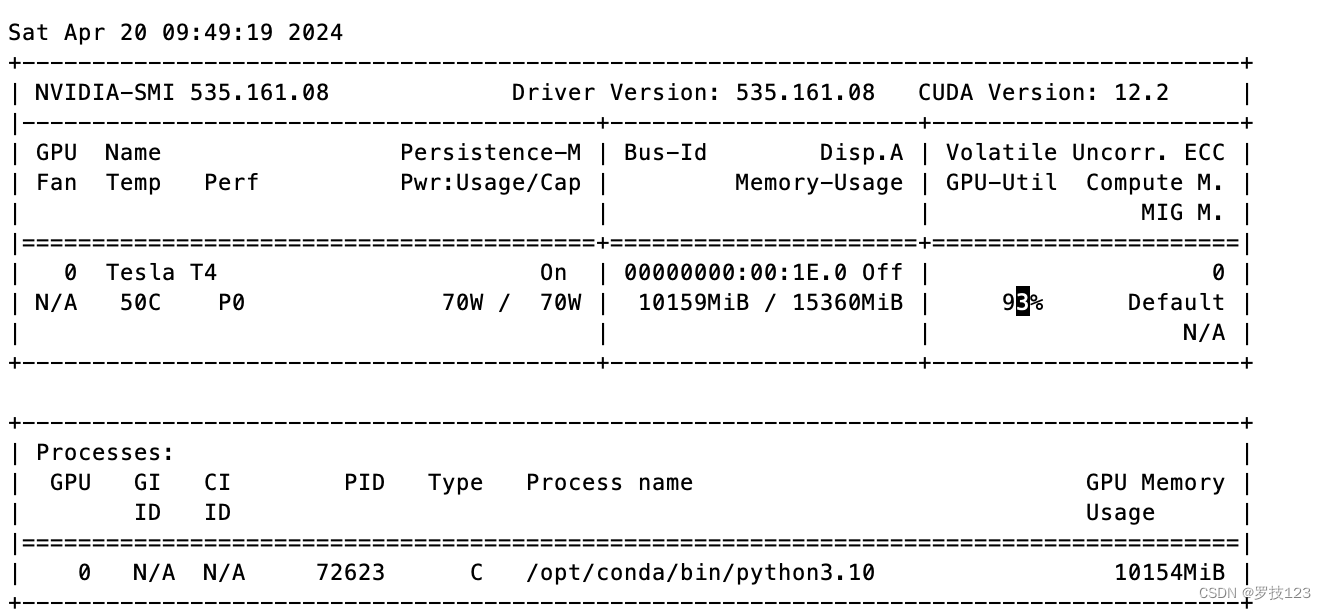
Detecting language using up to the first 30 seconds. Use --language to specify the language Detected language: Chinese 大模型的显存占用如下: 这个默认使用cuda 进行,但是并不支持Apple Silicon的MPS。
def remove_timestamps_and_empty_lines(input_file_path, output_file_path): # Read the file with open(input_file_path, "r", encoding="utf-8") as file: lines = file.readlines()
# Remove the timestamp from each line and filter out empty lines cleaned_lines = [ line.strip().split("] ", 1)[-1].strip() # Split and remove the timestamp for line in lines if"] "in line and line.strip().split("] ", 1)[-1].strip() # Check if there is text after removing timestamp ]
# Write the cleaned, non-empty lines to a new file with open(output_file_path, "w", encoding="utf-8") as file: file.write(",".join(cleaned_lines))
# Example usage input_file_path = '1.txt'# Specify the path to your input file output_file_path = '2.txt'# Specify the path to your output file
# Install Python dependencies needed for the creation of the Core ML model: pip install ane_transformers pip install openai-whisper pip install coremltools
# using Makefile make clean WHISPER_COREML=1 make -j
1 2 3 4 5 6
### 下载模型
make base
### Generate a Core ML model.
./models/generate-coreml-model.sh base

# This will generate the folder models/ggml-base.en-encoder.mlmodelc

 微信
微信 支付宝
支付宝